Optional notifications in the Driver Portal
Recipients enroll through the signed-in web application at app.rjjcorporation.com. We do not enroll recipients through a manager checkbox, purchased lists or a keyword campaign.
This page documents the implemented enrollment controls before SMS activation. The screenshots use synthetic account state and the same consent component used in the portal. They are not evidence of a live message being sent. SMS availability is controlled separately.
Enrollment steps
- Sign in to an existing account. Open Profile (or the onboarding page where available).
- When phone enrollment is available, enter a phone number you control and request a code. Enter the received code to verify the number. A recent sign-in is required for number changes.
- Open “Text-message settings (optional).” Read the message purposes, frequency, rates, STOP/HELP information and linked terms/privacy notice.
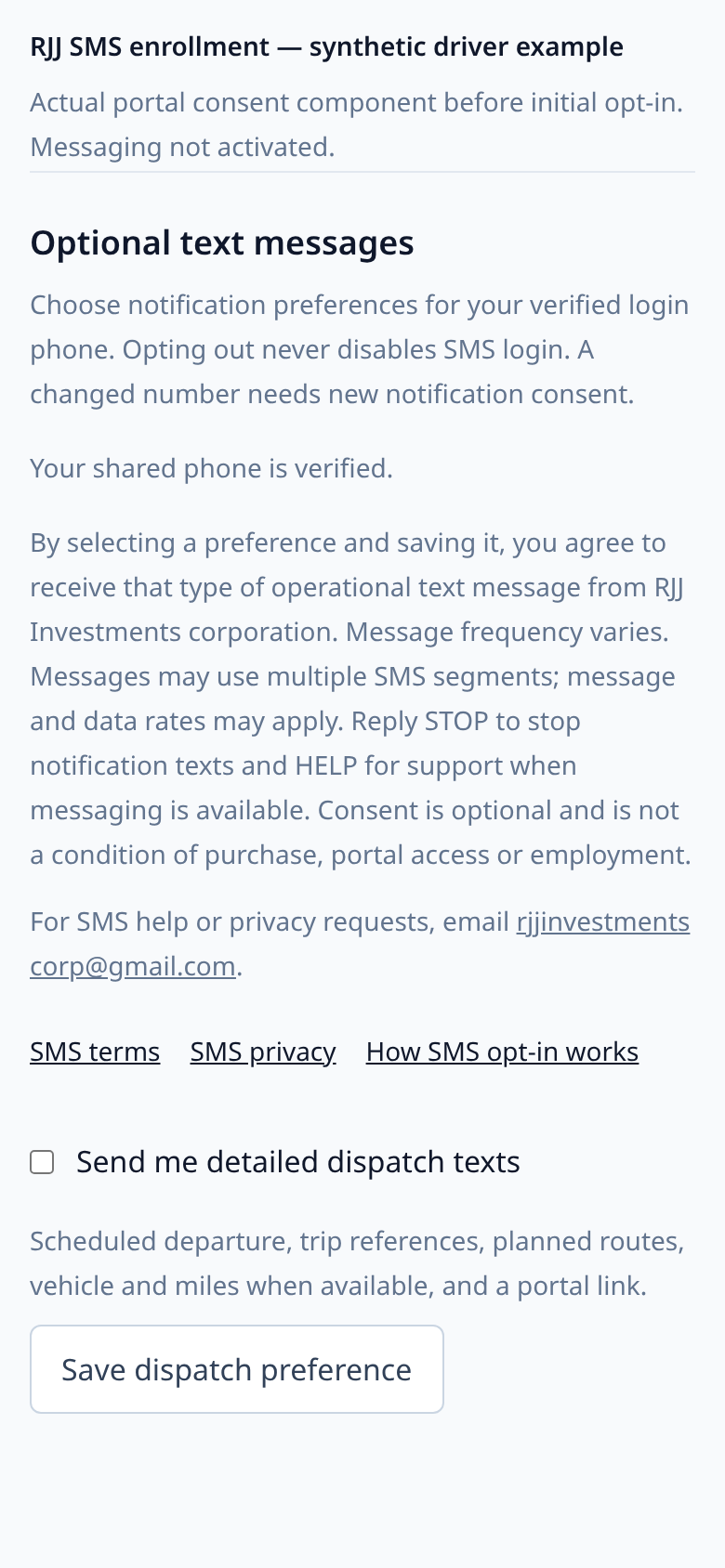
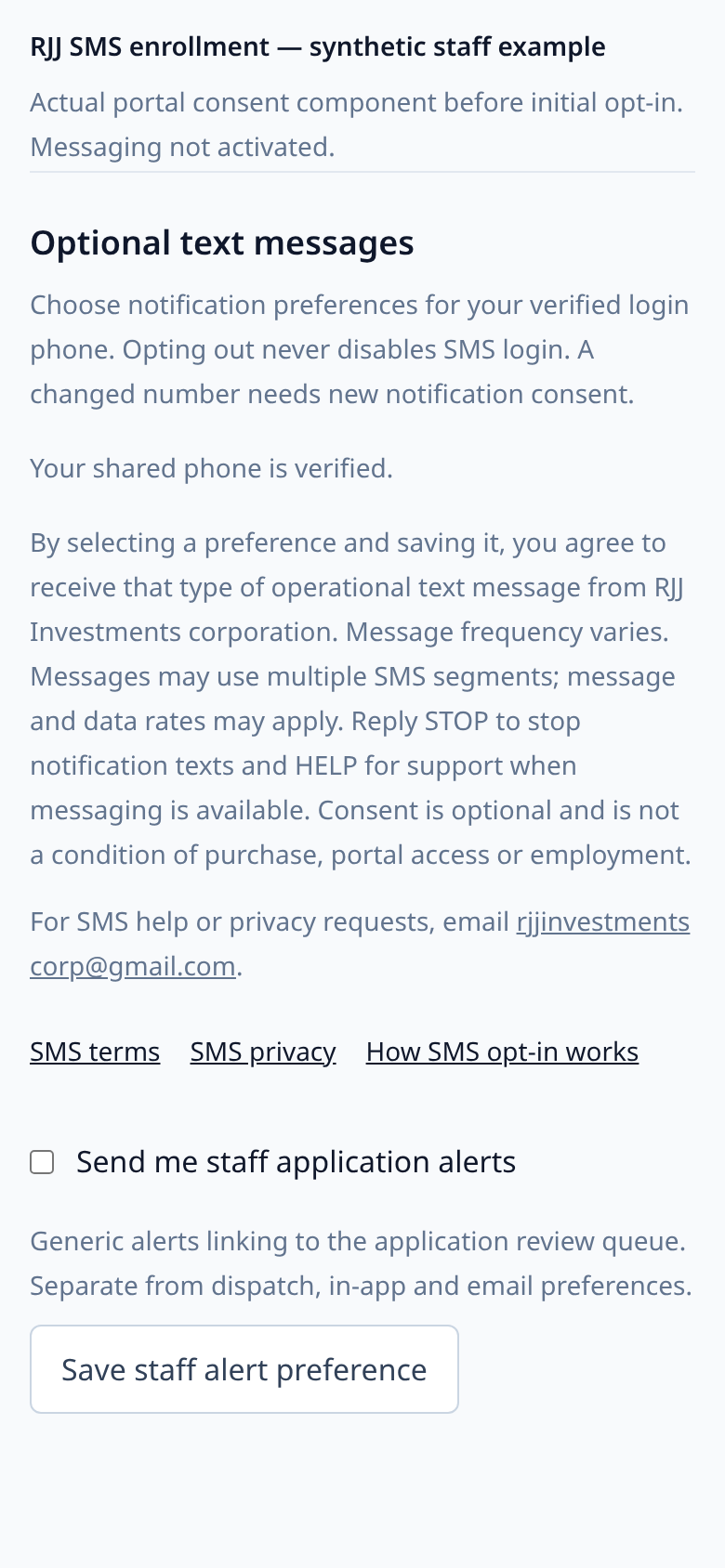
- Select “Send me detailed dispatch texts” if you are a driver, or separately “Send me staff application alerts” if you are a manager/admin. Initial choices are unchecked. A person with both roles sees both choices.
- Press the corresponding “Save … preference” button. The app records the purpose, number association, time and disclosure version. Verifying a phone alone does not opt you in.
Driver consent screen
Synthetic verified driver, before initial opt-in. The checkbox is unchecked.
Staff consent screen
Synthetic verified staff member, before initial opt-in. Staff alerts have a separate checkbox and save action.
Changing your mind
Uncheck and save a purpose to withdraw that preference. Reply STOP to a notification to block the sender. A profile toggle cannot override that block; START does not grant a disabled preference. Your portal account remains usable without notification consent. A confirmed phone-number change requires fresh notification consent.
Read the SMS terms and SMS privacy notice.